


Cabela's
3.21.53K Reviews
App Specs
- Version
- 26.09.03
- Updated On
- License
- Free
- Downloads
- 500,000+
- Developer
- Bass Pro Shops
- Categories
- Shopping
- Platform
- Android
Screenshots

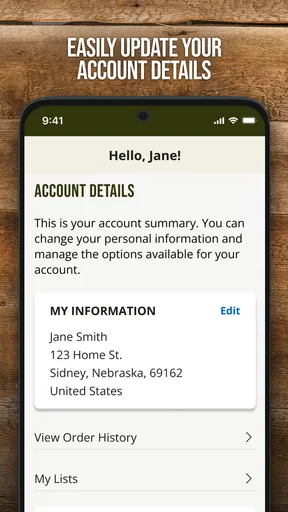
 Analysis by AppCompare
I use shopping apps when they save me from a trip, help me check an item before leaving home, or make a larger purchase easier to organize. Cabela’s is aimed at that practical kind of shopping. Developed by Bass Pro Shops, this free retail app focuses on outdoor equipment, clothing, hunting and fishing supplies, camping gear, and related products. My overall impression is that it works best as a companion for browsing and planning rather than as a complete replacement for every in-store shopping visit.
The app is listed for Everyone, runs on Android devices using version 8.0 or later, and has built up more than half a million installs. Its average score sits at 3.2 from roughly three thousand ratings, with about fifteen hundred written reviews. That combination tells me to approach it with realistic expectations: there is a substantial user base, but the experience is not universally smooth. I found the most value in using it with a clear shopping task instead of opening it simply to wander through a huge catalog.
How Cabela’s feels during everyday shopping
I find that everyday shopping with Cabela’s is most useful when I treat the app as a way to prepare, not as a reason to rush a purchase. In this section, I’ll look at how a focused search can turn an outdoor need into a manageable shortlist, then consider the practical checks that matter before choosing between ordering and visiting a store.
Quick browsing is its strongest starting point
When I already know the kind of product I want, the app feels more useful. Searching for a category such as boots, fishing tackle, or camping equipment gives me a focused way to narrow a purchase before I spend time driving to a store. That is especially helpful for products where size, color, style, or intended activity matters. I can compare several possibilities from the sofa, save mental notes about what looks suitable, and then decide whether I want to order or investigate the item in person.
The speed I perceive depends heavily on how much I ask the app to do at once. Moving through ordinary product pages is a lighter task than repeatedly changing filters, opening many images, or switching between product details and shopping-cart decisions. On a newer phone, that kind of browsing should feel more comfortable than on an older device, but I would not treat this as an app for rapid-fire comparison across dozens of products. Outdoor retail catalogs can be visually dense, and patience becomes more important when the shopping session grows.
A useful habit is to begin with a specific shopping goal. Instead of starting with the entire catalog, I would search for the activity first: a weekend camping trip, a fishing replacement, a cold-weather clothing need, or a gift for someone who spends time outdoors. This reduces the amount of scrolling and makes the app feel faster simply because fewer screens stand between me and a decision. The best performance improvement is often a narrower shopping plan.
A realistic trip-planning example
Imagine I am preparing for a short camping weekend and realize that my old sleeping bag is no longer suitable. I would use Cabela’s to inspect the available styles, check the product information carefully, and compare the options that fit the conditions I expect. If I also need a lantern or basic cooking equipment, I can keep the same shopping session organized around that trip rather than making separate, unfocused searches.
Worth Reading Before You Choose

EA SPORTS FC Mobile 26 Is a Bigger Football Game, but It Takes Time

Flipboard Shows What News Apps Must Do Beyond the Feed

Switching to Android Auto Means Rethinking Your Driving Routine

Google Calendar Makes a Crowded Week Easier to Manage

Ludo King Makes the Most of the Minutes Between Plans

Baby Panda World Brings Quick Play to Modern Phones, but Its Game Library Feels Busy
The app is particularly convenient at the beginning of that process. It helps me remember what I need to investigate before I leave home, and it can reduce the chance of arriving at a store without knowing which product details matter. At the same time, I would still want to verify important information before committing to a purchase. For outdoor equipment, small differences in fit, construction, intended use, and weather suitability can matter more than a product photograph suggests.
That is one of the app’s less obvious trade-offs: digital browsing is excellent for narrowing choices, but it cannot fully replace touching clothing, trying on footwear, or judging the size of bulky equipment. I see the app as a bridge between research and shopping, not automatically as the final authority for every purchase decision.
Where heavier use can become less comfortable
Long sessions are where I become more cautious. A shopper who opens many product pages, repeatedly changes search criteria, and jumps back and forth through the catalog is asking more from the app than someone checking one item. Images, product information, and changing shopping selections can make a session feel more demanding, especially on a phone with limited available memory or an older processor.
I would avoid using it as my only preparation tool while standing in a weak-signal area outdoors. A shopping app is most dependable when the phone has a stable connection and enough free storage and memory for ordinary mobile browsing. If I am already at a remote campsite or moving through a large store with inconsistent reception, I would rather have my shortlist and key notes prepared beforehand than depend on a last-minute search.
This also affects battery expectations. I would not open the app repeatedly during a long outdoor day just to rediscover the same products. A better workflow is to do the research at home, record the important product names or details, and use the app again only when I need to make a specific decision. That approach is more practical than treating the phone as a continuously running catalog.
Stability and recovering from an interrupted session
The average rating suggests that reliability is an important part of the decision. I did not come away thinking of Cabela’s as an app I could use carelessly without checking what happened after every interruption. Mobile shopping sessions can be disrupted by a phone call, a weak connection, an operating-system cleanup, or simply switching to another app. When I return, I would review the current cart and product selections rather than assuming every step was preserved exactly as I intended.
That small precaution matters most during a larger purchase. If I have spent time comparing several pieces of equipment, I would keep a written note of the products that interested me before closing the app. If a session reloads or I lose my place, I can recover quickly instead of starting the entire search again. This is not an exciting feature, but it is a genuinely useful habit for any catalog with many related products.
I also recommend separating research from checkout when the purchase is important. First use the app to identify the right item and understand the options. Then return for the buying step once the connection is stable and the cart looks correct. This two-stage workflow reduces the frustration of trying to research, compare, and complete an order during one long, interruption-prone session.
What the rating means for trust
A score of 3.2 is neither a strong endorsement nor a reason to dismiss the app immediately. It tells me that the experience may vary by device, connection, shopping task, or user expectations. The app has enough adoption to be relevant, but I would judge it by how well it fits my own buying routine rather than assuming that a large install count guarantees a polished experience.
For a straightforward purchase, a little friction may not matter. If I am checking one jacket or looking through a small selection of fishing accessories, the convenience can outweigh occasional annoyance. For a time-sensitive order, a large equipment list, or a purchase where I need perfect confidence in every detail, I would build in extra time and keep an alternative route available, such as visiting a store or using a regular mobile browser.
That distinction is important because shopping reliability has two parts. The app must open and display products, but I also need confidence that I understand what I am selecting. A stable screen does not automatically make a product decision reliable. I would still inspect the details, confirm the chosen variation, and review the cart before finalizing anything.
Device age, operating system, and resource demands
Cabela’s supports Android 8.0 and newer, which makes it accessible to people who are not using the latest phone. That is useful, but support for an older operating system does not mean every older device will deliver the same experience. A phone with limited memory, an aging battery, or a slower connection may take longer to load a visually rich catalog than a recent model.
If my phone is older, I would keep other demanding apps closed before a serious shopping session. I would also avoid switching constantly between multiple shopping screens and unrelated apps. These simple steps can make browsing feel less interrupted and help preserve battery, particularly when I am comparing products for a trip rather than buying one small item.
Storage is another practical consideration. I would keep some free space available for normal app operation and updates, especially if the device is already close to full. The current version is 26.07.02, so keeping the app updated is sensible when the device supports it. Updates can matter for compatibility and stability, but I would still avoid installing an update immediately before an urgent purchase if I have not used the app recently; testing it in advance is the safer approach.
People using iPhones should also think about their preferred shopping environment before choosing this app. The important question is not simply whether a phone is powerful enough, but whether the app fits the operating system and shopping habits they already use. Android users with a compatible device have a clear minimum requirement, while anyone who prefers a different platform should choose the version available for that device rather than assuming the Android experience will be identical elsewhere.
How it compares with ordinary alternatives
Compared with visiting a Cabela’s store first, the app is better for preparation. I can investigate products without traveling, make a rough shortlist, and decide whether an item deserves an in-person look. The store remains better when fit, texture, weight, or physical size is central to the decision. For boots, clothing, and equipment that I need to handle, I would use the app to reduce uncertainty rather than eliminate the store visit entirely.
Compared with a general marketplace app, Cabela’s has a more focused outdoor-shopping purpose. That focus is useful when I already want gear associated with hunting, fishing, camping, or outdoor recreation. A general marketplace may offer broader seller variety or a wider mix of unrelated goods, but it can also create more work when I am trying to stay within one outdoor category. I prefer Cabela’s when the shopping trip itself is specialized.
Compared with a mobile browser, a dedicated app can feel more natural for repeat shopping, especially if I frequently return to the same outdoor categories. A browser is a reasonable fallback when the app behaves unpredictably, when I want to compare information across several tabs, or when I am using a device where installing another app is inconvenient. I would not hesitate to switch methods if the app slowed down my decision instead of helping it.
Who will get the most from it
I would recommend Cabela’s to outdoor shoppers who want a focused place to research equipment before heading to a store or placing an order. It is a good fit for someone who already shops with Bass Pro Shops, someone preparing a seasonal gear list, or someone who wants to compare several outdoor products from a phone rather than relying on memory while walking through a store.
It is also useful for planned purchases. If I have time to compare options, check the details, and revisit a shortlist, the app’s convenience becomes more valuable. The free price removes the need to make a financial commitment just to try it, and the Everyone rating makes it suitable for general household use. I would still supervise younger shoppers around purchases, but the content classification itself is broad.
I would skip it, or at least avoid relying on it exclusively, if I need an immediate answer while traveling through an area with poor reception. I would also choose another route if I am shopping for a product that must be tried on or physically inspected before I can decide. People who dislike app-based catalogs, have very old hardware, or expect every shopping session to be effortless may find a store visit or browser more comfortable.
My practical way to use the app
My preferred routine is simple. I begin with the activity and the problem I am trying to solve, not with an open-ended catalog tour. I narrow the search, inspect the product information, and compare only a manageable group of candidates. For clothing and footwear, I treat the app as research. For smaller accessories or repeat purchases, I am more comfortable using it as the main shopping route.
Before leaving home, I would capture the key details I need for a store visit: product names, relevant sizes, and the reasons each option made the shortlist. I would not depend on remembering every screen. If I plan to buy several items, I would review the cart from the beginning before checkout, because a quick final inspection is easier than correcting an overlooked selection later.
For a demanding session, I would charge the phone, close unnecessary apps, use a dependable connection, and avoid switching away repeatedly. If the app loses my place, I would reopen it calmly, check the cart, and return to the shortlist using my notes. These steps do not transform the application, but they make its limitations much easier to manage.
My performance verdict
After using Cabela’s as a focused outdoor-shopping tool, I see it as useful but not flawless. Its strongest role is helping me research and organize a purchase before I commit time to a store visit or a larger buying decision. The free app from Bass Pro Shops covers a specialized shopping need, supports older Android versions, and has reached a meaningful audience, but its modest average rating means I would keep my expectations measured.
My recommendation is to use Cabela’s as a planning and product-discovery companion, with a backup option for urgent or complex purchases. On a reasonably capable phone and a stable connection, it can make outdoor shopping more organized. During long browsing sessions, on older hardware, or in poor-signal locations, I would use shorter sessions and keep notes so recovery is easy.
I would install it if I regularly shop for camping, fishing, hunting, or outdoor clothing and value a dedicated catalog. I would not make it my only method for checking fit, judging physical quality, or handling a time-sensitive purchase. In my experience, the app is most worthwhile when I give it a clear job: narrow the choices, prepare for the store, and make a considered purchase rather than replace every part of the shopping process.
Pros
- Helpful for browsing hunting
- fishing
- camping
- and outdoor equipment.
- Product pages typically include specifications
- reviews
- and availability details.
- Convenient access to Cabela’s deals
- promotions
- and seasonal offers.
- Store locator helps users find nearby locations and plan visits.
- Useful for comparing outdoor gear before making a purchase.
Cons
- Some products may show limited stock or vary by store location.
- App performance can depend heavily on internet connection quality.
- Search results may include many similar items
- slowing product discovery.
- Promotional pricing and offers may have specific restrictions or exclusions.
- Large catalogs can make navigation feel overwhelming for new users.
FAQs for Cabela's
What is Cabela’s, and what can I do with the app?
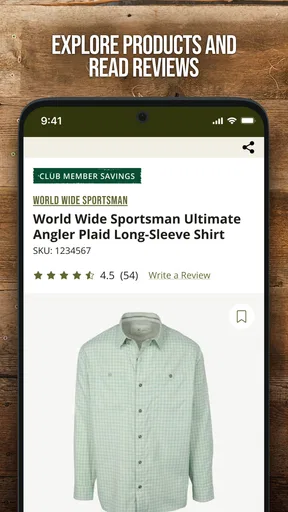
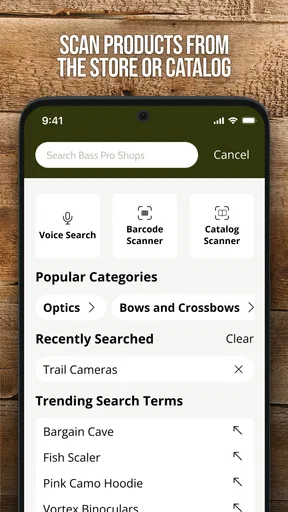
Cabela’s is the mobile shopping app from the outdoor retailer known for hunting, fishing, camping, shooting sports, clothing, footwear, and outdoor accessories. After installing it, you can browse product categories, search for specific equipment, read item details, check customer ratings, view available deals, and place orders from your phone. The app may also help you locate nearby stores and review order information, depending on your region and the current version.
Can I purchase hunting, fishing, and camping products through Cabela’s?
Yes, the app is designed to let customers shop for a broad range of outdoor products, including fishing rods and tackle, hunting gear, camping equipment, optics, knives, footwear, apparel, and boating accessories. Product availability, shipping options, age requirements, and legal restrictions can vary by location. Certain regulated items may require additional verification, specific delivery procedures, or in-store pickup rather than ordinary shipping.
Does the Cabela’s app offer discounts, rewards, or special promotions?
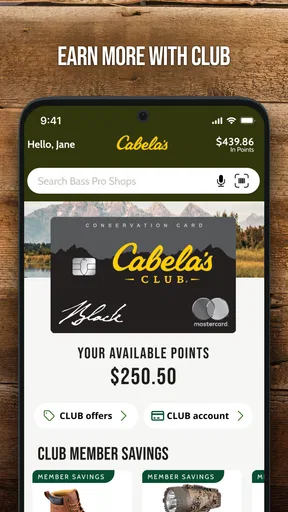
Cabela’s frequently promotes seasonal sales, clearance items, member benefits, and special offers through its app and online store. Depending on the current program and your eligibility, you may be able to view personalized deals, apply promotional codes, manage account benefits, or access information connected with Bass Pro Shops and Cabela’s loyalty services. Always read the terms, expiration dates, exclusions, and regional limitations before completing a purchase.
Can I use the app to find a Cabela’s store or check local availability?
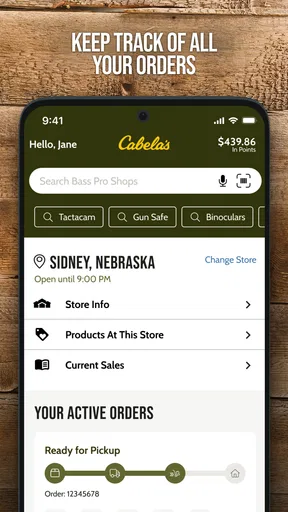
The app can be useful for finding nearby Cabela’s locations and reviewing store-related information such as addresses, opening hours, phone numbers, and available services. Some products may display local inventory or pickup options, although stock information is not guaranteed to be perfectly current. Before traveling for a specific item, it is sensible to confirm availability with the store, especially for popular equipment, seasonal merchandise, or regulated products.
Is the Cabela’s app free and safe to download?
The Cabela’s app is generally free to download from the official Google Play Store or Apple App Store. As with any shopping application, download it only from the verified publisher listing rather than from unofficial websites or modified APK files. The app may request permissions related to notifications, location, or account access, and you should review these settings along with the privacy policy before creating an account or saving payment information.


